How to Stay Organized in Google Classroom
Google Classroom is supposed to make school more organized. But when you're juggling six or seven classes, it can sometimes feel like it does the opposite.
One teacher posts an assignment, and another adds an announcement. Or you have something due tomorrow, a project due next week, a missing assignment you forgot about, and a teacher comment you haven't seen yet. And then new assignments keep showing up.
If you're trying to stay figure out how to stay organized in Google Classroom, the answer isn't to check Classroom more often. It's to know where to look and what to check when you get there.
Once you understand how Google Classroom, Google Calendar, and Gmail work together, you can create a simple system for keeping track of assignments, planning ahead, and making sure important work doesn't slip through the cracks.
1. Don't Use the Stream to Manage Your Assignments
Here's one of the most important Google Classroom tips for students: The Stream is NOT your friend. At least, not when it comes to keeping track of assignments.
The Stream is essentially the class message board. Teachers can post announcements there, and classwork notifications may appear there as well. Depending on how your teacher has set up the class, students may also be able to post or comment.
That makes the Stream useful for announcements and class conversations. But it also makes it a busy place. If you see an assignment in the Stream and think, "'ll remember to do that later," newer posts can quickly push it farther down the page.
Instead, use the Classwork section when you need to find assignments for a particular class.
Classwork is where your teacher organizes assignments, questions, quizzes, materials, and other resources. If you're wondering what you actually need to do for Algebra, English, or Science, Classwork is usually a much better place to start.
Think of the Stream as a bulletin board and Classwork is your workspace.
2. Know Where to Find All Your Assignments in Google Classroom
Going into Classwork works well when you want to see assignments for one particular class.
But not if you want to know what's happening across all of your classes. That's where students can get into trouble.
If you have seven classes, you don't want to open seven different Google Classrooms every afternoon just to figure out what you need to do. That's a lot of clicking, and it's easier to overlook something.
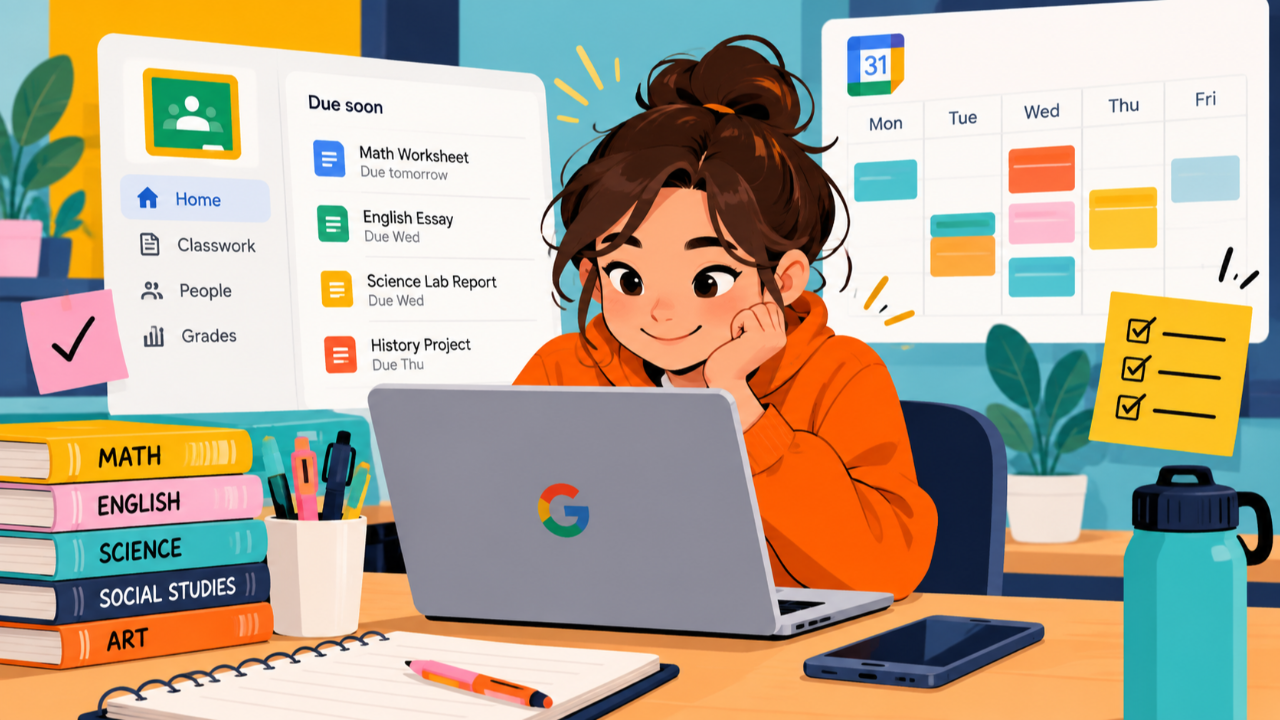
Your Google Classroom homepage can give you a broader view. Depending on the version of Classroom your school uses, you may see a Due soon section showing upcoming assignments across your enrolled classes.
You don't just need to know that you have an Algebra worksheet due tomorrow. You need to know that you have an Algebra worksheet tomorrow, an English essay Thursday, and a Science test Friday.That's the information you need to start planning your time.
3. Check for Missing and Upcoming Work
Knowing what's due next is important as well as knowing what you've already missed.
Google Classroom can help you identify missing assignments and work that's coming up, but you have to make checking them part of your routine.
If something is marked Missing, don't automatically assume it's too late to do anything about it. Open the assignment, read the instructions, and find out whether your teacher will still accept it. If you aren't sure, ask. Then look at what's coming next.
Google Classroom's homepage can show assignments due soon, and individual classes may also show upcoming work. These are useful quick reminders, but don't rely on a short list as your entire planning system. A project that's due two weeks from now may require your attention long before it becomes one of your most urgent assignments.
That's the difference between tracking assignments and planning assignments. You need to do both.
4. Use Google Calendar to See What's Coming
Google Classroom is good at showing you what you need to do. But Google Calendar helps you see when everything is happening.
When teachers give Classroom assignments due dates, those due dates can appear in your Classroom calendar and Google Calendar. That gives you a visual way to see how your workload is spread across the week.
For example, imagine looking at your calendar and seeing:
- Math homework due Tuesday
- English paper due Wednesday
- Science assignment due Wednesday
- Social Studies project due Thursday
- Science test Friday
Suddenly, you can see something that wasn't obvious when you looked at each class separately: Wednesday is going to be busy. And now you can do something about it. Maybe you finish part of the English paper Monday, or complete the Science assignment Tuesday. Or maybe you start studying for Friday's test earlier in the week. This is an important executive function skill. Instead of constantly asking: "What's due tomorrow?" Start asking: "What's coming over the next several days, and when should I work on it?" The earlier you see what's ahead, the more choices you have about when to get it done.
5. Create a Daily Google Classroom Check-In Routine
You don't need to spend 30 minutes every afternoon organizing Google Classroom.
A good organization system should actually **save you time**.
Create a short Google Classroom check-in routine and do it at about the same time every school day.
Your routine might look like this:
1. Check Google Classroom for anything new.
2. Look for missing assignments.
3. Review what's due soon.
4. Look at Google Calendar for the next several days.
5. Choose the one to three things that need your attention most.
This should only take a few minutes. The goal isn't to complete your homework during your check-in. The goal is to figure out what you need to do before you start doing it.
That's important. Without a system, you might finish the first assignment you happen to notice and then discover at 9:00 p.m. that something more important is due tomorrow. With a system, you stop first and ask: "What do I have to do, what's coming up, and what should I work on first?" Over time, that routine becomes a habit.
6. Don't Forget Teacher Comments and Feedback
One of the easiest Google Classroom mistakes to make is assuming you're finished with an assignment as soon as you click Turn in. But, you might not be. Your teacher may return an assignment, leave feedback, add a private comment, or ask you to revise something. If you only use Google Classroom to find new assignments, you may miss those messages. Make reviewing returned work and teacher feedback part of your organization system.
When a teacher returns something, open it. Read the comments. Check whether you need to make changes or resubmit the assignment. This also keeps small tasks from turning into missing or incomplete work simply because you didn't realize your teacher was waiting for you to do something.
7. Use Gmail Alongside Google Classroom
Google Classroom isn't the only place teachers communicate with you. That's why your school Gmail account should be part of your organization system too. Depending on your school's settings, you may receive Google Classroom email notifications about classwork and comments. Teachers may also email you directly with reminders, schedule changes, links, or other information. If your inbox contains hundreds of unread messages, it's much harder to tell which ones actually matter. You don't have to constantly monitor Gmail. Instead, include it in your regular school check-in. Open messages that matter and respond when necessary. Get rid of things you don't need and most importantly, don't let important school messages disappear into a giant pile of unread email.
It helps to think about these three Google tools as having different jobs:
- Google Classroom helps you find and manage your schoolwork.
- Google Calendar helps you see when things are due and plan ahead.
- Gmail helps you keep track of communication.
When you use them together, it's much easier to stay on top of school.
7. Turn Google Classroom Into a System, Not Just a Place to Find Assignments
Most students know how to open Google Classroom and find an assignment. That's different from knowing how to use Google Classroom to stay organized. If you only open Classroom when you remember that you have homework, you're still depending on your memory to manage school. Instead, create a system you can repeat every day:
Check your assignments. Look for missing work. See what's coming up. Check your calendar. Read teacher feedback. Check your email. Decide what needs to be done first.
None of those steps is difficult. But the power comes from doing them consistently. Once you have a system, you spend less time clicking around trying to figure out what you're supposed to be doing and more time actually getting your work done.
And that's the real goal of getting organized with Google Classroom: You shouldn't have to keep everything in your head. Use Google Classroom, Calendar, and Gmail to help you remember, plan, and stay on top of school so your brain can focus on the work itself.
Help Your Student Get Organized and Stay Organized
Google Classroom is easier when students have a system. Master Google Classroom for Students teaches students how to keep track of assignments, plan ahead, manage their time, and build habits that make school feel more manageable.